Description
ShareSafe 0.2.1 — Early Access. A one-time US$19 software download for one user. Your license key is tied to your Nexus account and allows three package delivery attempts. A store account is required to purchase and download. Local use continues after those downloads; there is no subscription or online app activation.
ShareSafe digital download: sales are final. No voluntary refunds, returns or exchanges. This includes change of mind, mistaken purchases and non-use. Mandatory cancellation rights and remedies for faulty, misdescribed or undelivered content and incorrect charges remain protected. Please read the refund policy before purchasing.
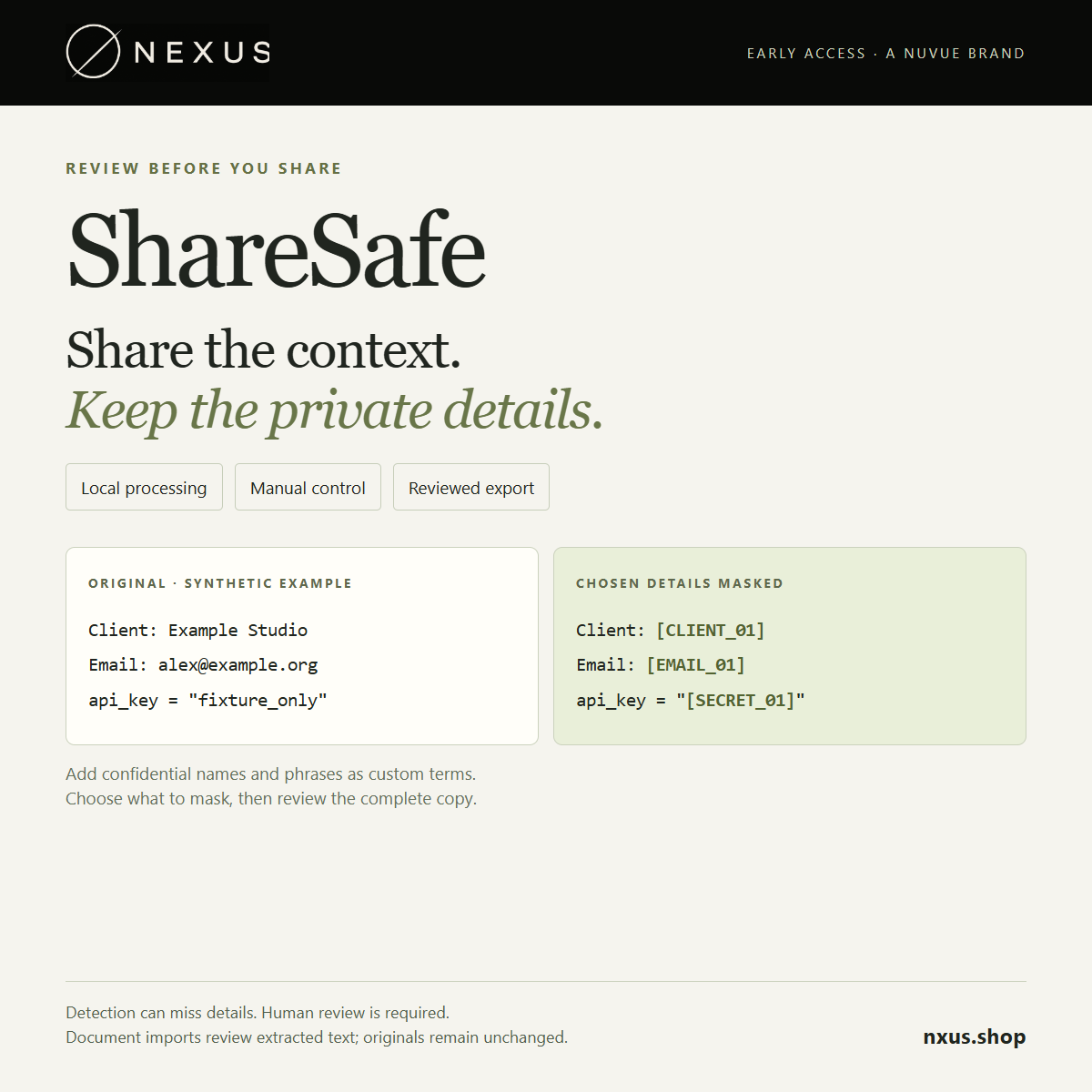
Review before you share
Prepare text for an AI tool, a support request or another recipient. ShareSafe finds supported sensitive patterns, helps you choose what to mask, and gives you a copy to review before exporting. Consistent placeholders preserve useful relationships without including the chosen original values in your shared copy.
Work happens in your browser on your device. ShareSafe has no document-upload endpoint, external AI connection or telemetry. You decide what to copy into another service.
Eight tools in one local workflow
- Guided review: locate and navigate findings in the original and replacement text, and track what you reviewed.
- Manual passage masking: select a missed detail, including several lines, mask one occurrence or all exact matches, and undo the last passage operation.
- Reusable profiles: import and export your custom terms, replacement labels and detector choices. Profile files may contain sensitive terms and are unencrypted.
- JSON and CSV fields: mask scalar values or data columns and export validated, normalized structure. Ambiguous changes stop export.
- Batch review: work with up to 20 documents and consistent placeholders across the batch. Each document requires its own export acknowledgment.
- Supported pattern detection: common credentials, private-key blocks, cookie headers, connection credentials, email, IPv4/IPv6 and some phone, card and identifier formats, with explanations.
- Private restoration: after exporting a reviewed copy, restore exact known placeholders in a pasted AI response using a map kept in tab memory. Private restored output has a separate review step.
- Local document extraction: import selectable PDF text, DOCX text or English OCR from still PNG, JPEG and WEBP images through the included local launcher.
What you receive
One Windows x64 ZIP containing the standalone HTML text tools, the local document launcher, bundled processing assets and portable runtime, a quick-start guide, scope/privacy notes, your software license and third-party notices. No physical item is shipped. Delivery is electronic after successful payment.
Extract the entire package and run Start-ShareSafe.cmd for document and OCR tools. Keep its window open while working; close it or press Ctrl+C to stop. You can open ShareSafe.html directly for text, profiles, JSON/CSV, batches and restoration without starting the launcher. Nothing is installed as a background service.
| Full package | Windows x64; current desktop Chrome or Edge. The document/OCR integration was verified in Chrome. macOS/Linux packages and native mobile apps are not included. |
|---|---|
| Text files | UTF-8 TXT, MD, MARKDOWN, LOG, CSV and JSON; 1 MiB each, up to 20 documents and 5 MiB combined extracted text. |
| Documents and images | 12 MiB input and 1 MiB extracted text each. PDF: up to 100 pages. Still PNG/JPEG/WEBP: 16 megapixels and 8,192 pixels per side. English OCR only. |
| Unsupported workflows | Original-document redaction, scanned-PDF OCR, XLSX, legacy DOC, audio/video redaction and format-preserving PDF/Word/image export are not included. |
Important scope and privacy boundaries
Read every output. Detection and OCR can miss details or flag harmless content. Names, addresses, confidential meaning and unfamiliar encodings need your review, custom terms or explicit selection. ShareSafe does not guarantee anonymity, security, regulatory compliance or approval to share information.
Document imports produce reviewed text. Original PDFs, Word files, images, metadata and embedded content remain unchanged. Extraction may omit formatting, annotations or other details. Compare the extracted text with the original before sharing. This product does not create a redacted original document.
Replacement maps stay in session memory and are not included in shared exports. Unknown or altered AI placeholders remain unchanged. Restoring a placeholder does not establish that the AI used it in the correct context.
Browser extensions/recovery, clipboard managers, screenshots, saved downloads and device security remain outside the app’s control. Clear session drops app references and does not guarantee forensic erasure. CSV formula warnings are advisory; review spreadsheet imports separately.
License keys and delivery
One purchase grants one account user permission to use the purchased version for their own personal or business work. Your inputs and outputs remain yours. Other users need their own licenses; do not share the account, key, application files or download access.
After payment, use ShareSafe licenses while signed in to the purchasing account. Your private key and remaining delivery count appear there. Each authorized package delivery that begins consumes one of three attempts, including an interrupted transfer. Keep a private backup of your download. The limit counts store deliveries, not local launches or documents processed. The downloaded app does not phone home for license checks.
Account-bound delivery and the license define permitted use. They do not physically prevent copying an already downloaded offline application. No future releases, maintenance subscription, managed security service or priority support are included or promised.
The store keeps the purchasing account and order identifiers, a protected license-key record, and delivery counts/times to fulfill and enforce this license. That store activity is separate from local processing: your source documents, custom terms and replacement maps are not sent to Nexus by the downloaded app.
Help, refunds and release integrity
For access problems or bug reports, contact support@nxus.shop with your order number and a synthetic example. Never send credentials or private source documents. No response-time or consulting commitment is included.
The existing store terms, refunds and cancellations policy, digital delivery terms and privacy policy apply. Mandatory rights for faulty, misdescribed or undelivered content remain protected. This software license expressly permits the single user’s business use in place of the store’s default personal-use restriction.
Early access has been tested with synthetic data; independent security review, Nexus release signing and real-world detection accuracy have not been established. The bundled runtime’s upstream signature covers that runtime only.
Package: Nexus-ShareSafe-0.2.1-windows-x64.zip
SHA-256: 315269ff050075f6785b6b79d1579eb192d0e63b8ab0284b48f1ed2664b6cbc1
Reviews
There are no reviews yet.